SplendorBackups - Automatic Backups for All-in-One WP Migration and Backup
Adds automatic scheduled local backups for WordPress sites using All-in-One WP Migration and Backup - so backups run on a schedule without anyone remembering to trigger them manually.
Overview
This plugin adds automatic scheduled local backups for websites using All-in-One WP Migration and Backup. It helps administrators run backups on a schedule, keep recent backup files, review backup activity, and manually trigger backup jobs from the WordPress admin.
Key Features
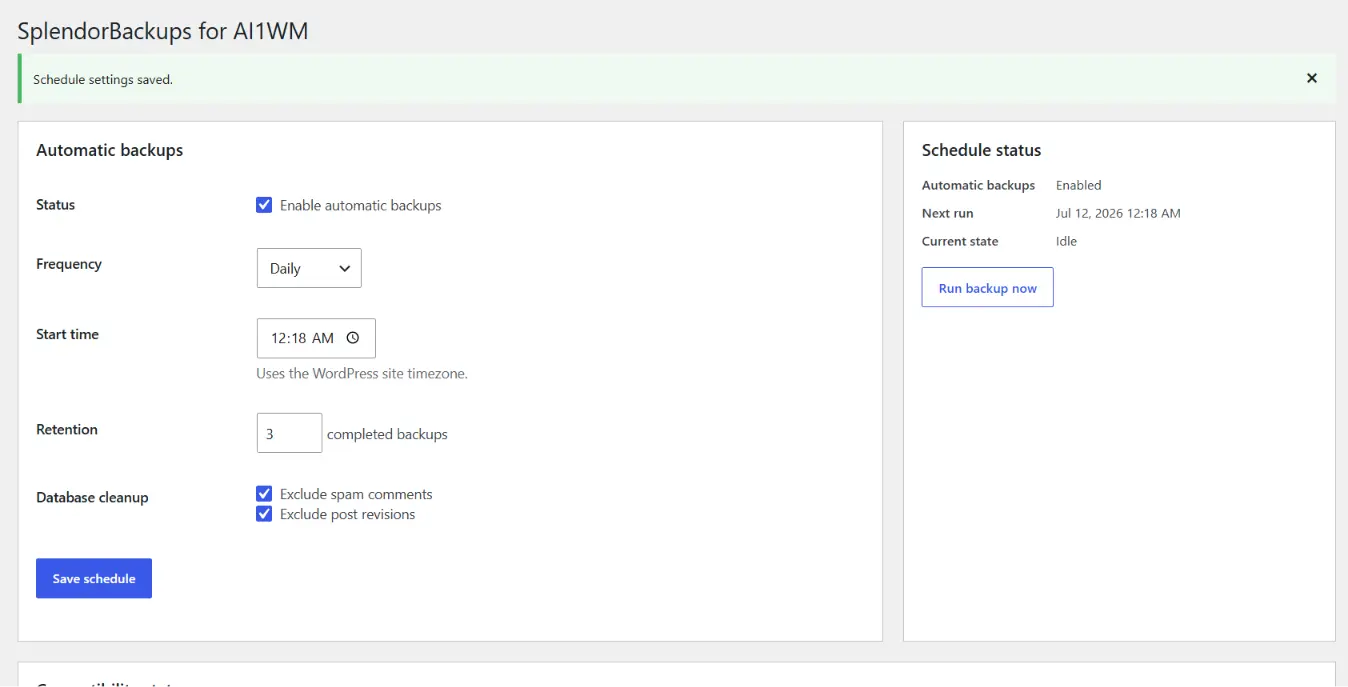
Schedule Automatic Backups
Set backups to run on a recurring schedule without manual intervention.
Flexible Frequency
Choose daily, weekly, or monthly backup frequency to match your update cadence.
Run Backup Now
Trigger a manual backup at any time to test the schedule or capture a snapshot immediately.
Retention Setting
Control how many completed backups are kept before older ones are cleaned up.
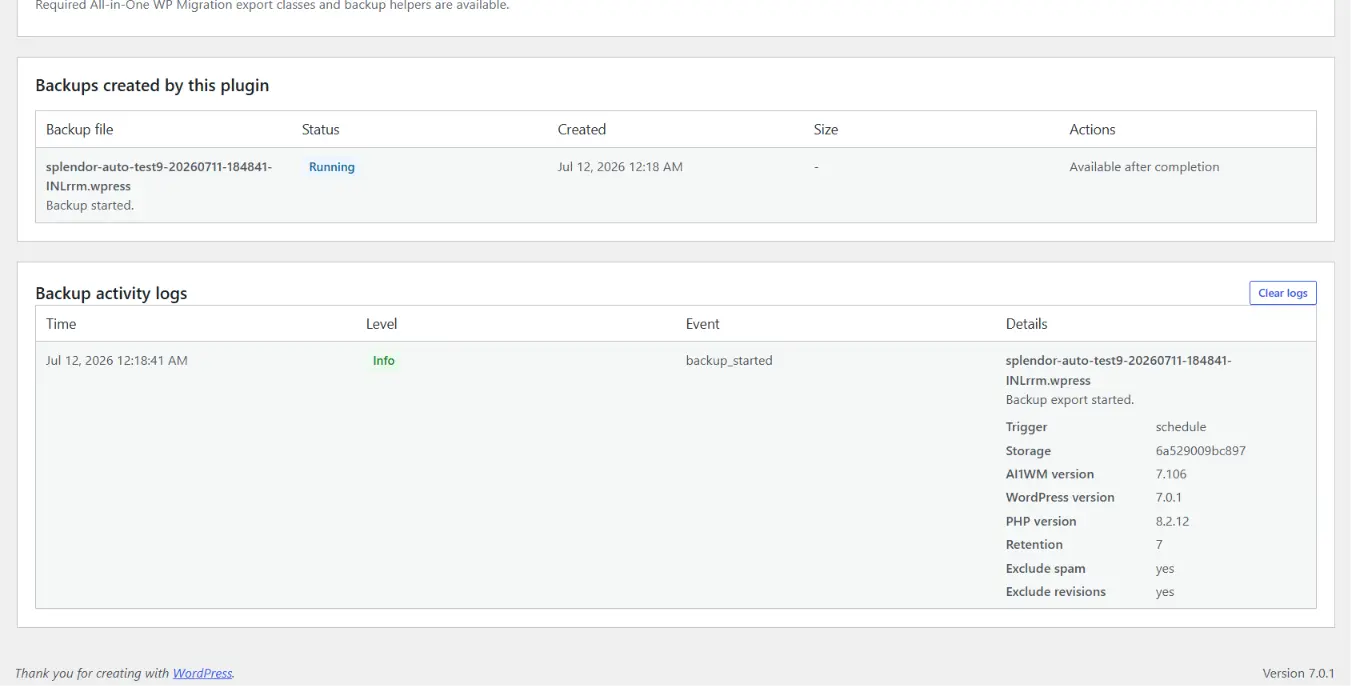
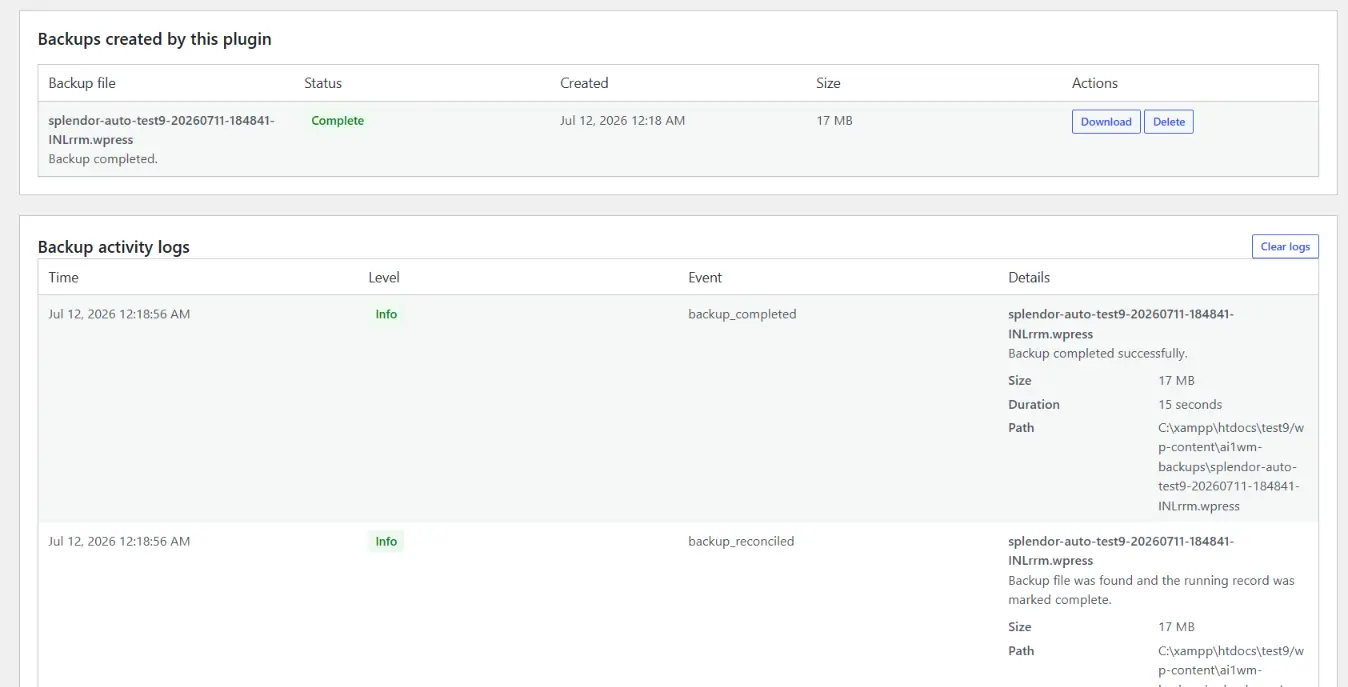
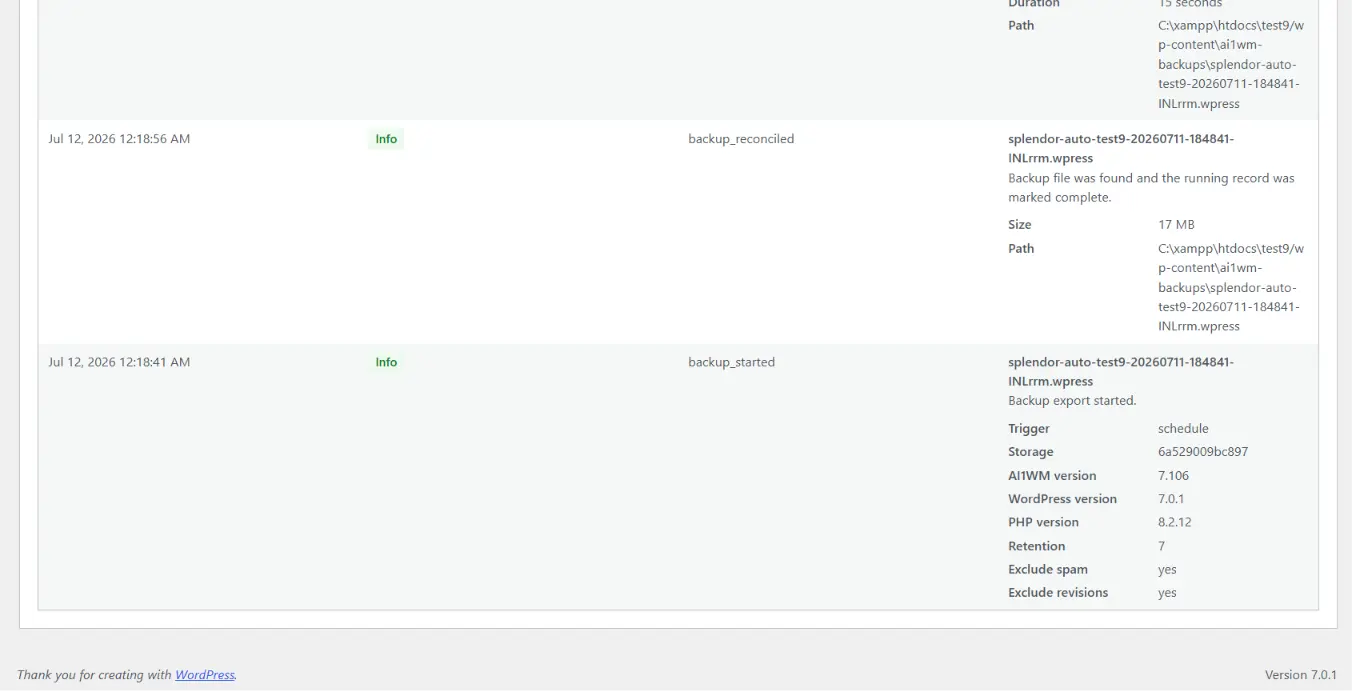
Backup Activity Logs
Review a log of backup runs, including timing and outcome, for troubleshooting and audit.
Backup Status Display
See the current status of scheduled and in-progress backup jobs from the admin screen.
Admin-Only Controls
Download and delete backup files from admin-restricted actions only.
Compatibility Checks
Verifies required All-in-One WP Migration classes and helpers are present before running.
Backup Reconciliation
Detects and reconciles backup files that appear after long-running jobs complete.
Safety Timeout Handling
Handles long-running or stalled jobs gracefully with built-in timeout safeguards.
Support & Feature Requests
Optional in-plugin form to reach Splendorsoft for support or feature requests.
Deactivation Feedback
Optional feedback form on deactivation to help improve future releases.
How It Works
SplendorBackups runs on top of your existing All-in-One WP Migration and Backup setup. Once activated, it adds a scheduling layer that triggers backup jobs through WordPress cron, tracks each run in an activity log, and reconciles backup files once a job finishes - so you always have a clear, current record of what has been backed up and when.
Prerequisites
- WordPress 5.8 or later
- PHP 7.4 or later
- All-in-One WP Migration and Backup installed and active
- WordPress cron must be working
- Enough server disk space for local backup files
Setup Instructions
- Install and activate All-in-One WP Migration and Backup.
- Install and activate SplendorBackups for AI1WM.
- In WordPress admin, open All-in-One WP Migration → Automatic Backups.
- Enable automatic backups.
- Choose backup frequency.
- Set start time.
- Choose retention count.
- Save schedule.
- Optionally click "Run backup now" to test.
- Review backup activity logs and generated backups.
Screenshots
A look at the plugin's backup scheduling, status, and activity screens inside WordPress admin.
No. It requires All-in-One WP Migration and Backup and adds scheduled backup management around it.
Backups are stored locally on the WordPress server in the normal All-in-One WP Migration backup location.
No. Backup files, settings, and logs are not sent to Splendorsoft.
Yes. Administrators can use the "Run backup now" action.
Yes. Use the support form inside the plugin or email [email protected].
Need Help or Have a Feature Request?
For support, feature requests, or custom WordPress plugin development, get in touch with the Splendorsoft team - we typically respond within 24 hours.
Contact Support